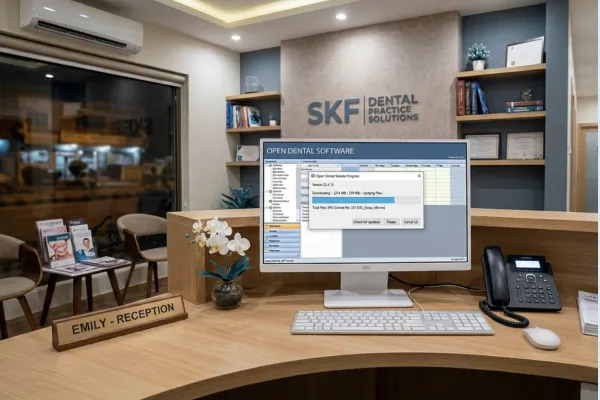
How to Update Open Dental Software (Step-by-Step)
How to Update Open Dental Software (and When You Should Be Doing It)
If you’ve ever searched “how to update Open Dental software,” you’re already ahead of the curve.
Keeping Open Dental updated is one of the simplest ways to:
unlock new time-saving features
reduce bugs and errors
keep your team working more efficiently
And yet, many offices delay updates for months (or even years), usually out of fear that something will break or change unexpectedly.
Let’s clear that up.
In this guide, I’ll walk you through:
how to update Open Dental software step by step
the difference between stable and beta versions
and when you should be updating to get the most benefit with the least risk
First: Is It Free to Update Open Dental?
Yes.
Updating Open Dental is completely free for customers on support.
There’s no upgrade fee, no hidden cost, and no downside to staying current, which is why there’s really no good reason not to update regularly.
How to Update Open Dental Software (Step by Step)
Important note:
This update process applies to locally hosted Open Dental databases.
Open Dental Cloud users are updated automatically or can schedule updates with support.
To update Open Dental:
In the Main Menu, click Help → Update
Review your current version at the top of the Update window
Click Check for Updates
Choose the version you want to install
Click Install
That’s it.
The entire process is straightforward, and in most cases takes only a few minutes.
Understanding Your Update Options (This Part Matters)
When you click Check for Updates, you may see up to three options.
1. New Build for Current Version
Includes bug fixes only
No new features
Very low risk
This is ideal if you recently updated but want the cleanest version of what you’re already running.
2. New Stable Version (Recommended)
Fully tested
Includes new features and enhancements
Considered safe for everyday use
👉 This is the version I recommend offices update to regularly.
Stable versions are where Open Dental releases improvements that actually save teams time and reduce friction.
3. New Beta Version (Use With Caution)
Contains the newest features
May still have bugs
Best for offices willing to test and give feedback
Beta updates can be useful, but they’re optional. Most practices should stick with stable unless they have a specific reason not to.
When Should You Update Open Dental?
This is where most offices go wrong.
My Recommendation: Update Monthly
I treat Open Dental updates as part of my end-of-month process.
Why?
New stable versions are released frequently
Features often address real workflow pain points
Waiting means missing out on time-saving improvements
Updating monthly keeps your software:
current
predictable
aligned with how Open Dental is designed to function
And because updates are free and easy, there’s very little downside.
Why Delaying Updates Costs Offices Time
When offices don’t update regularly, they often:
miss features that reduce clicks or manual work
continue using outdated workflows
struggle when they do finally update because too much changed at once
Small, consistent updates are far less disruptive than massive catch-up updates.
Best Practices Before You Update
To make updates smooth and stress-free:
Update after hours or during low-volume times
Make sure backups are running properly
Let your team know changes may be coming
Review release notes for new features
This turns updates into a routine, not a disruption.
One More Thing: Where to Learn What Changed
After updating:
Use the Help (?) icon inside Open Dental to view version-specific documentation
Look for new features that may replace old workarounds
Update your SOPs so your team actually benefits from the changes
New features only save time if your team knows how to use them.
Final Thoughts
If you’re wondering how to update Open Dental software, the answer is simple.
If you’re wondering when to update, the answer is even simpler.
Update to the newest stable version, monthly.
It’s free.
It’s easy.
And it keeps your office from falling behind on tools designed to make your day easier.
That consistency adds up, in fewer clicks, less frustration, and better workflows over time.
Want help rolling updates into your systems? 👉🏻 SKF Practice Solutions
Updates are most powerful when paired with:
updated SOPs
team training
and intentional workflow improvements
That’s how software stops feeling reactive and starts working for your practice.
