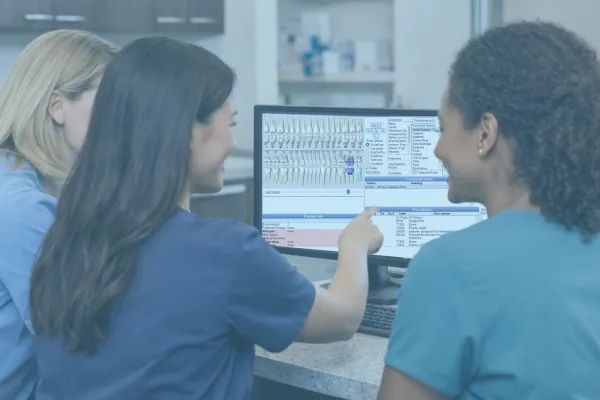
How to Onboard Confident Open Dental Users
A Simpler, Smarter Way to Train New Team Members in Open Dental
Bringing on a new team member should feel exciting — not stressful.
But for most practices, onboarding looks like this:
Everyone does their best.
Everyone explains their version of the workflow.
And by week three, the new hire is still thinking, “I hope I’m doing this right.”
The truth?
New employees don’t struggle because they’re inexperienced. They struggle because they walk into a practice without a clear, consistent training system.
And that’s why we always start here:
Build the foundation → Then train the person.
Open Dental makes this much easier than most offices realize.
Let’s break it down.
Step 1: Set Them Up Correctly in Open Dental (Before Training Begins)
Most onboarding issues trace back to one thing: the user wasn’t set up correctly.
Before your new team member touches a patient chart, make sure:
They’re added as an Employee (so timecards, operatories, and alerts work correctly).
They’re added as a User with the correct User Group (so permissions match their role).
Their permissions reflect what they should do - not what’s convenient.
If they’re a provider:
Add them as a Provider
Connect the correct fee schedule
Assign operatories & appointment views
Build their schedule
Think of this as giving them the right key ring before they walk into the building.
Step 2: Don’t Throw Them Into the Software — Guide Them Through It
New hires need structure, not guesswork.
And thankfully, Open Dental already includes multiple built-in learning tools your team can use:
1. Training Videos
Hundreds of videos, organized by role — perfect for self-paced learning.
Great for:
Front desk basics
Billing workflows
Appointment scheduling
Patient communication
QuickTip step-by-step processes
2. The Question Mark Icon (?)
Every window in Open Dental has a tiny “?” button in the corner. Click it → You get the exact manual page for that screen.
This reduces confusion instantly.
3. Live Support (Chat or Call)
Open Dental support isn’t just for “errors,” it’s for...
Setup questions
Workflow clarity
And “Can you check if I’m doing this right?”
Your new hires should never feel alone.
Step 3: Use Certifications to Track Their Training (Your Secret Weapon)
Open Dental has a built-in Certifications tool that most offices don’t even know exists — and it is a game-changer for onboarding.
You can use it to:
Set up training checklists
Track what each new hire has completed
Assign training based on job title
Link tasks to Wiki pages or external videos
Make onboarding consistent across your entire team
Imagine onboarding where nothing falls through the cracks. That’s what Certifications creates.
Step 4: Use the Wiki to Build a Real Training Library
If training feels chaotic, inconsistent, or repetitive, your Wiki is the solution.
You can build:
SOPs
Checklists
Protocols
How-to guides
Troubleshooting steps
Training sequences
And link all of them directly to Certifications.
This becomes your practice’s internal university - and your new employees’ cheat sheet for success.
Step 5: Reinforce Learning With Real-Time Coaching
New hires need three things more than anything else:
Clarity - What exactly am I expected to do?
Consistency - Does everyone here do it the same way?
Confidence - Can I trust that this workflow works?
No one gains that through a YouTube playlist alone. Pair training resources with short, structured coaching moments each day. Even five minutes helps.
Why This Matters More Than You Think
When your onboarding process is clear, repeatable, and documented:
Your new hires feel confident, not overwhelmed.
Your existing team feels relieved, not burdened.
Your patients experience consistency, not confusion.
Your systems actually work the way they were designed to.
Your practice culture strengthens by default.
New team members don’t need perfection. They need a path.
Open Dental gives you the tools. Your policies and systems give the direction. And your leadership gives the support.
Final Thought
Strong onboarding isn’t about throwing information at someone. It’s about building a foundation they can trust.
When your Open Dental setup, permissions, Wiki, and certifications are organized - training becomes simple, predictable, and sustainable.
If your onboarding feels scattered, or your team is exhausted from training the same things over and over…
👉 Our team can help you build a complete training library inside your Wiki and create an onboarding system that runs itself.
Let’s build a training program that sets your people and your practice up for long-term success.